You can issue credit notes in two flexible ways, either by entering a simple amount (quick credit note) or selecting specific products (itemized). Approvals can be automatic or manual, based on your settings and user permissions.
Itemized Credit Note – used for creating a credit note with detailed product breakdowns.
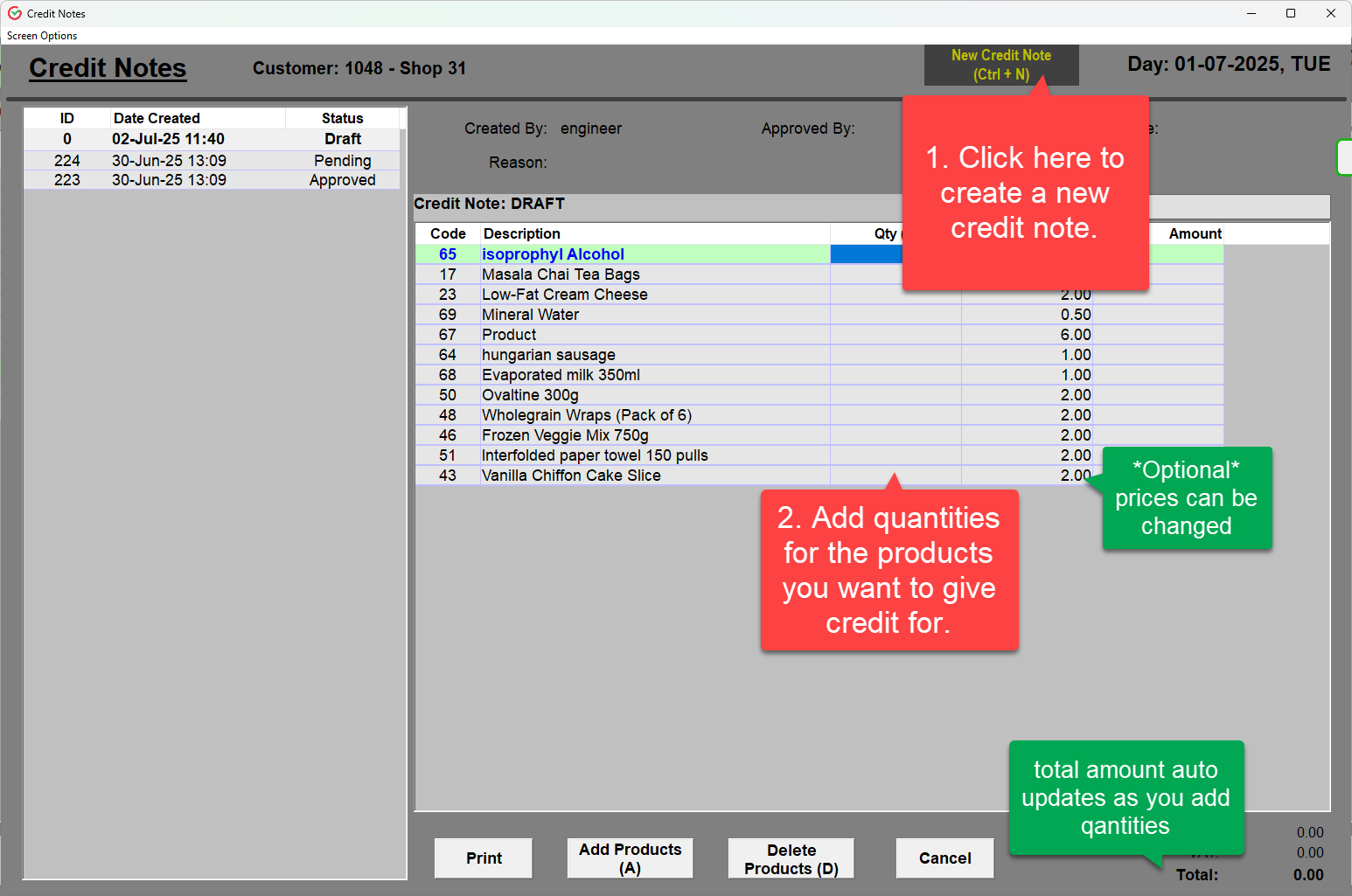
1.1 In the customer dashboard, at the lower left selected Itemized CRN, a new credit note window will appear. Products are pre-filled from customer’s recent history just enter the quantity for each item you want to credit and the system auto-calculates the amounts.
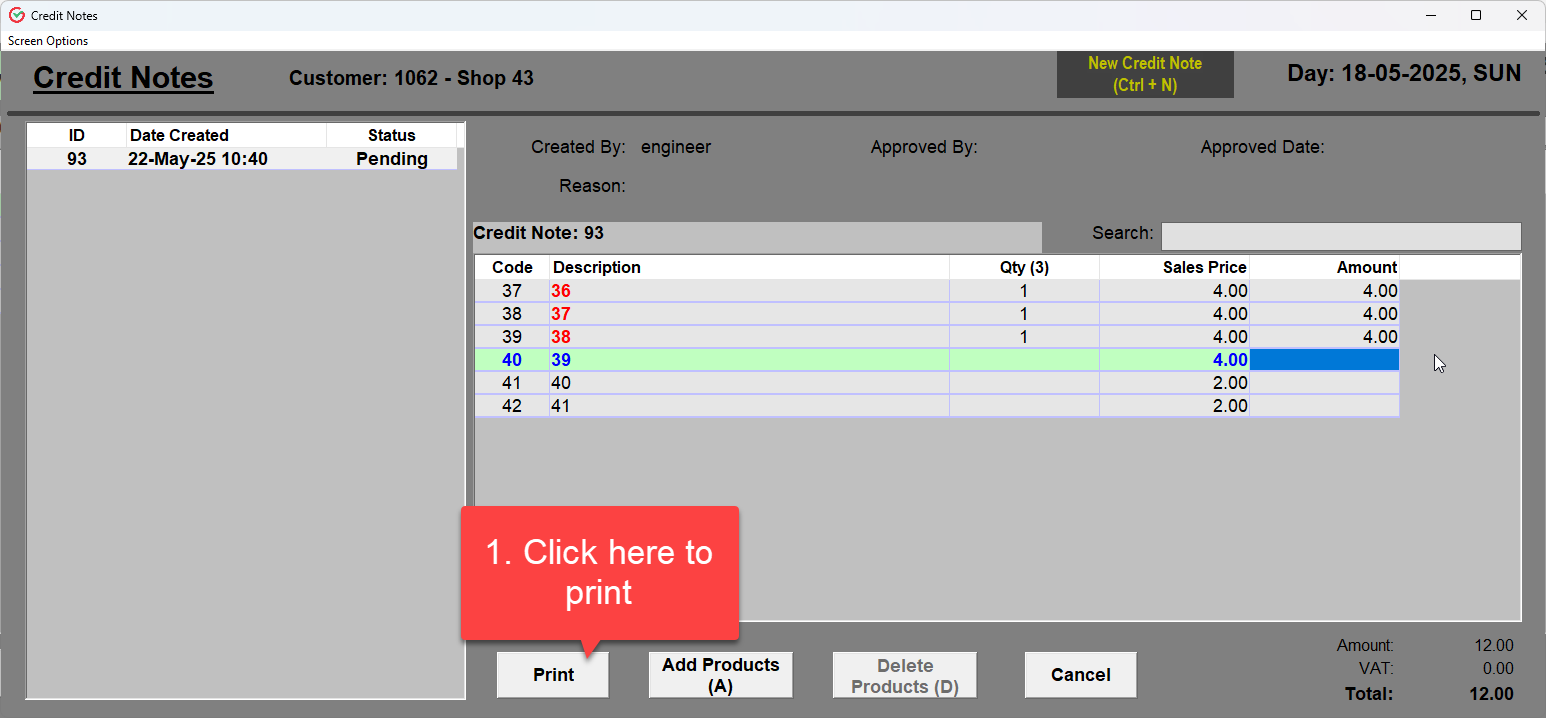
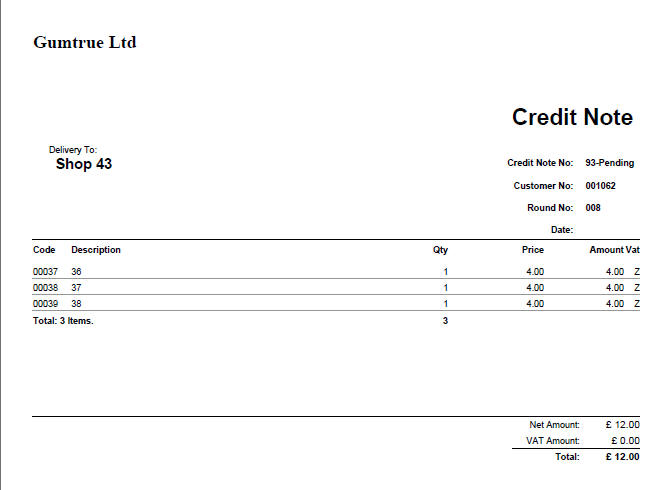
1.2 Once done a print-ready PDF file can be generated, this auto saves the credit note as well.
Approval:
• If auto-approval is enabled, the credit note is posted instantly
• If not, it goes into the approval queue
________________________________________________________________________________
2. Approval Workflow
There are two types of approval settings which can only be configured by Admin users:
- AutoApproveCreditNotes: YES: All credit notes are applied immediately
- AutoApproveCreditNotes: NO: Credit notes require approval by authorized users
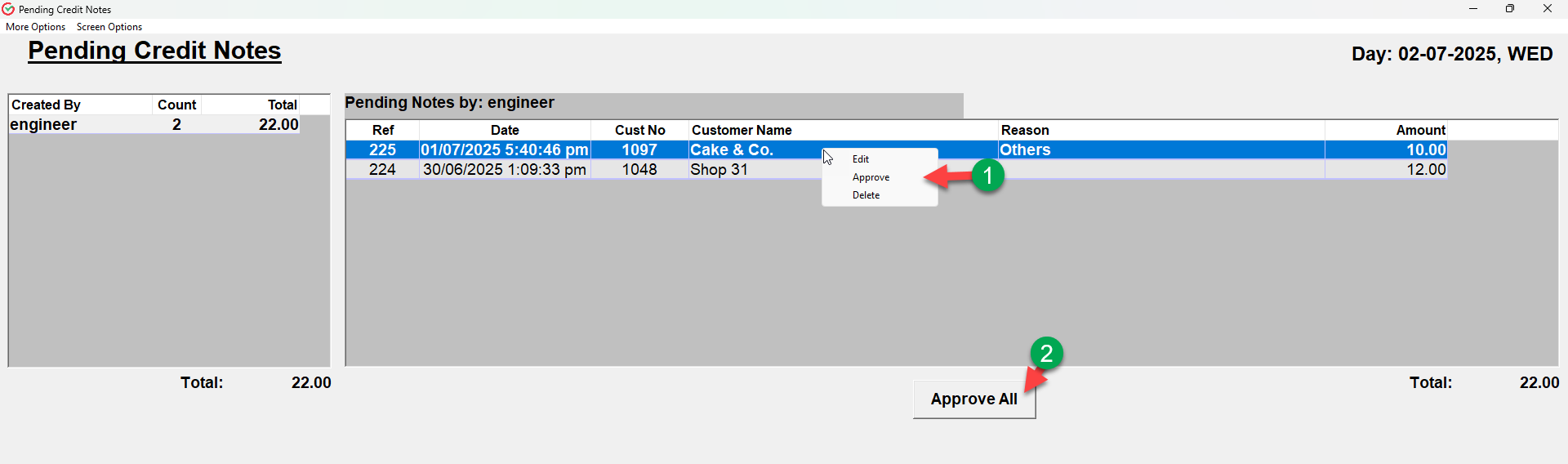
You can manage approvals from the Pending Approvals screen on the right hand side of the Main Menu
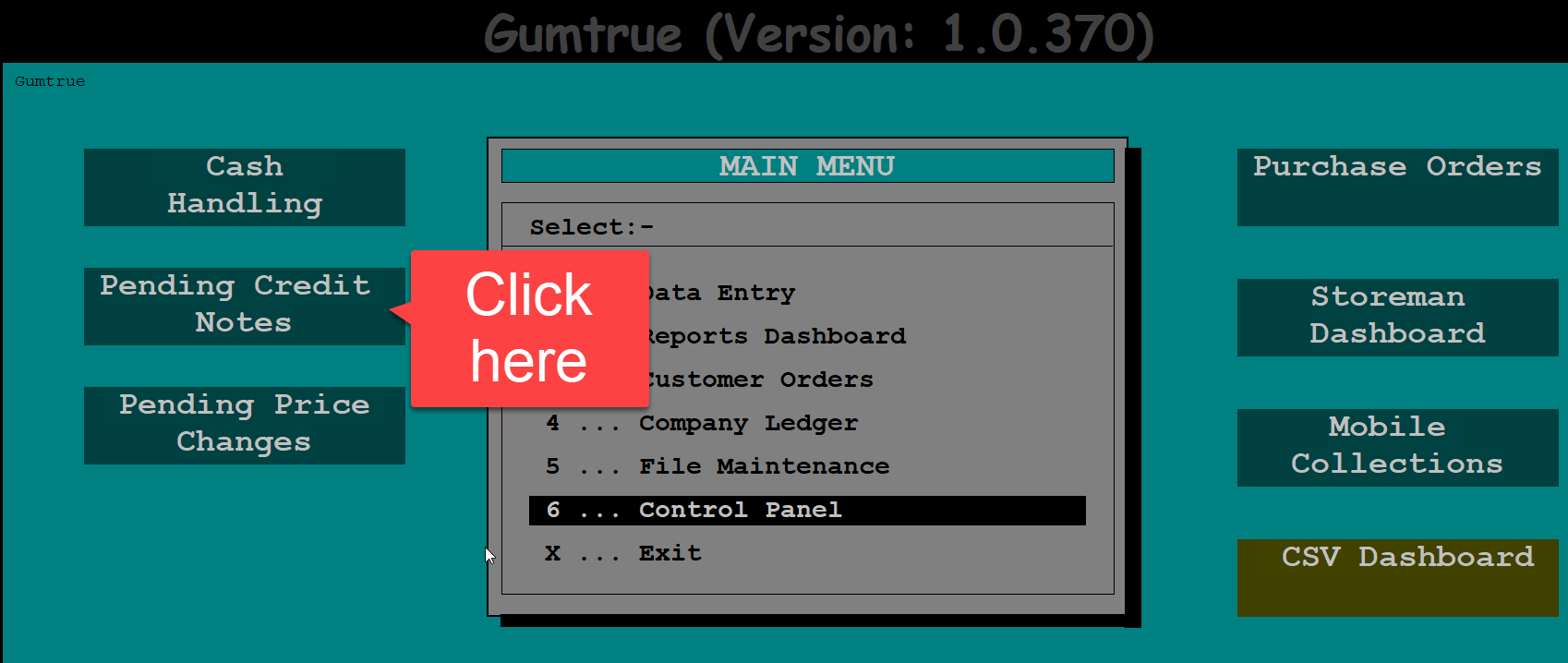
1. Enables approval of each credit note separately.
2. Enables approval of all credit notes in one go.
4. User Restrictions:
CreateCreditNotes
- Allows users to create and edit their own pending credit notes.
ApproveCreditNote
- Allows users to approve, edit, and delete any pending credit notes.
- Does not allow editing or deleting already approved notes.
- Used when a user is trusted to handle approval workflows.
UpdateTransaction
- Allows editing or deleting of already approved credit notes.
- Intended for high-level users who need to correct finalized records.
Was this article helpful?
That’s Great!
Thank you for your feedback
Sorry! We couldn't be helpful
Thank you for your feedback
Feedback sent
We appreciate your effort and will try to fix the article