You can issue credit notes in two flexible ways, either by entering a simple amount (quick credit note) or selecting specific products (itemized). Approvals can be automatic or manual, based on your settings and user permissions.
Quick Credit Notes – used for creating a general credit note not tied to specific products.
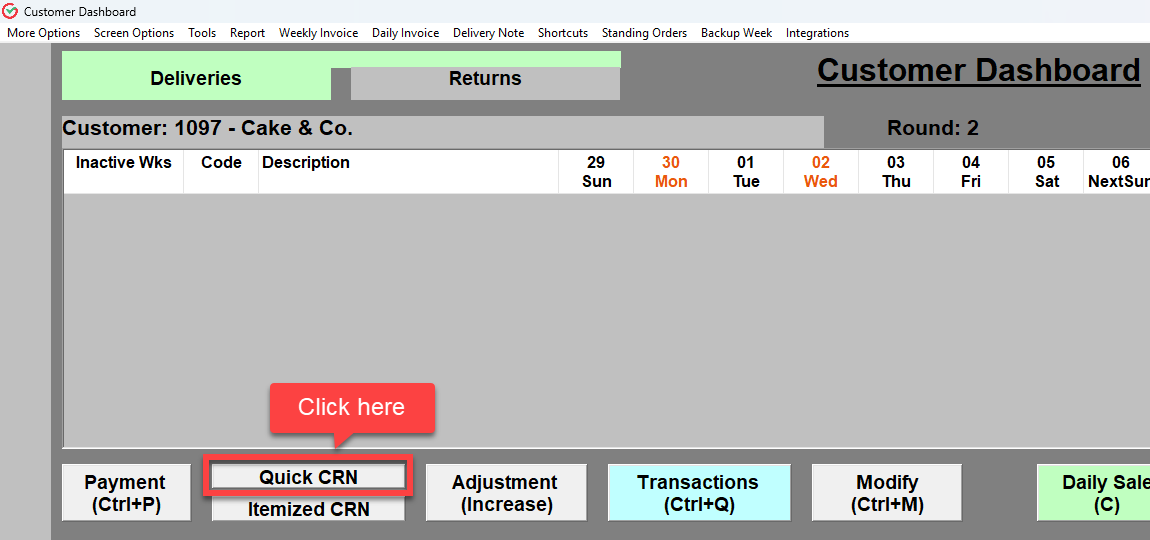
1.1 In the customer dashboard, select Quick CRN.
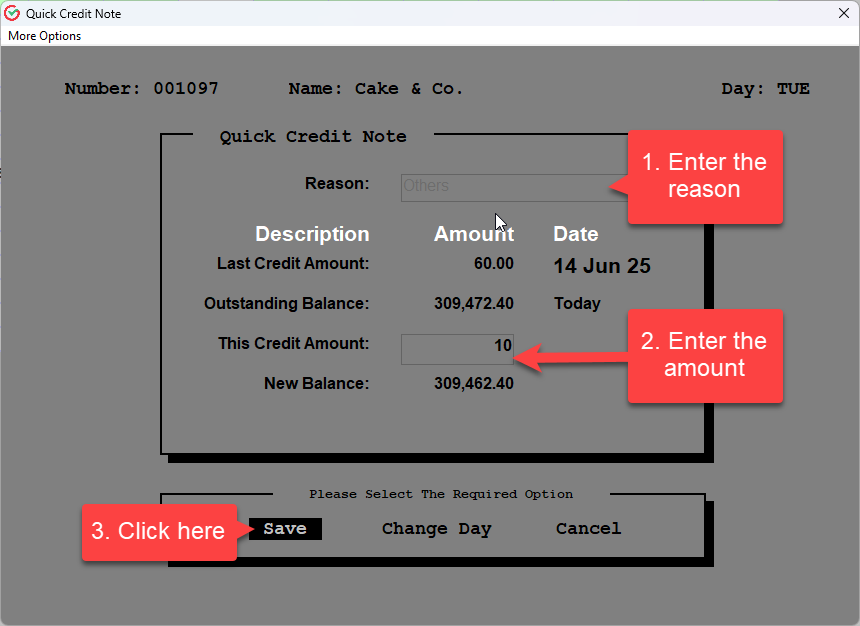
1.2 Enter reason and amount then save.
Was this article helpful?
That’s Great!
Thank you for your feedback
Sorry! We couldn't be helpful
Thank you for your feedback
Feedback sent
We appreciate your effort and will try to fix the article