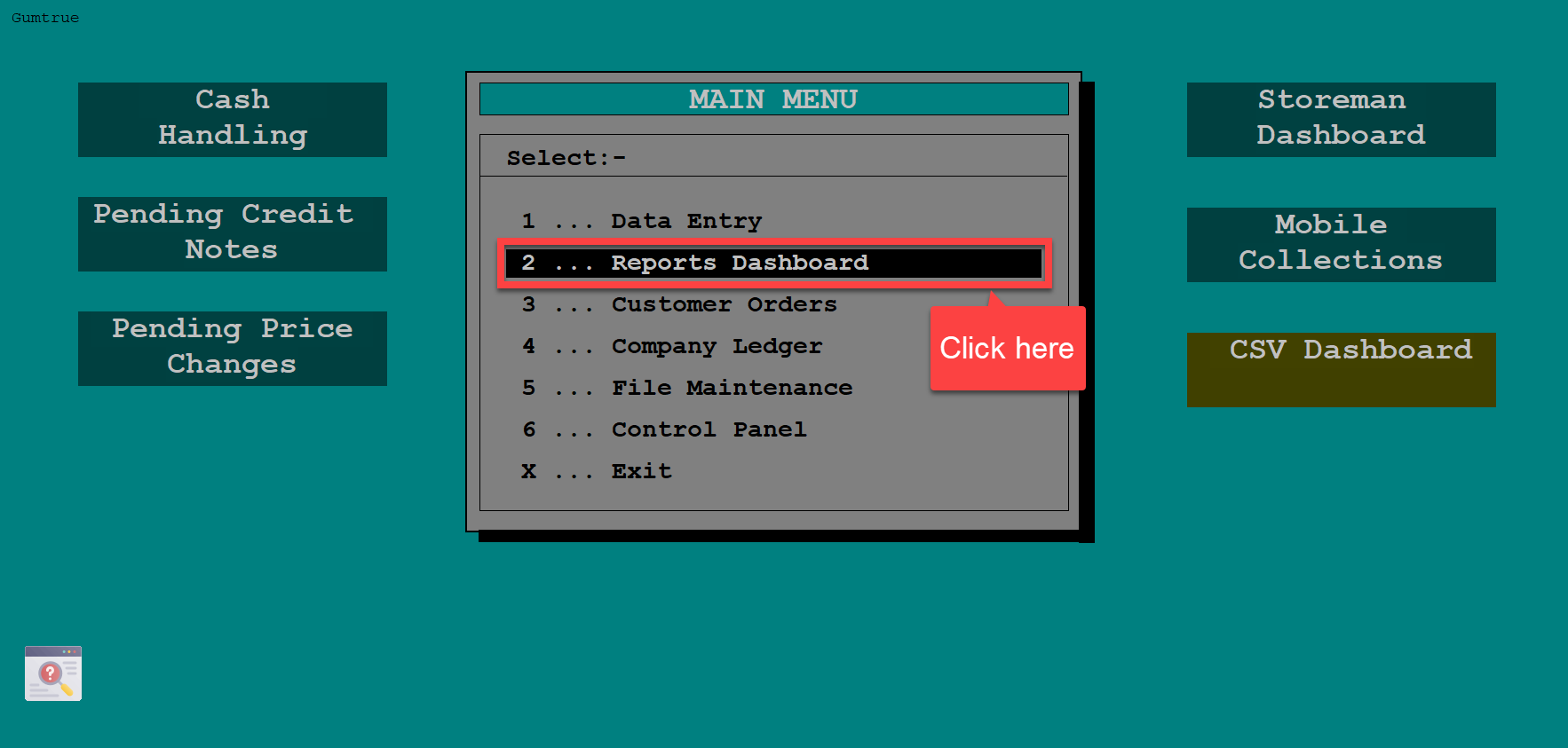
From Main Menu,
1. Click Reports Dashboard.
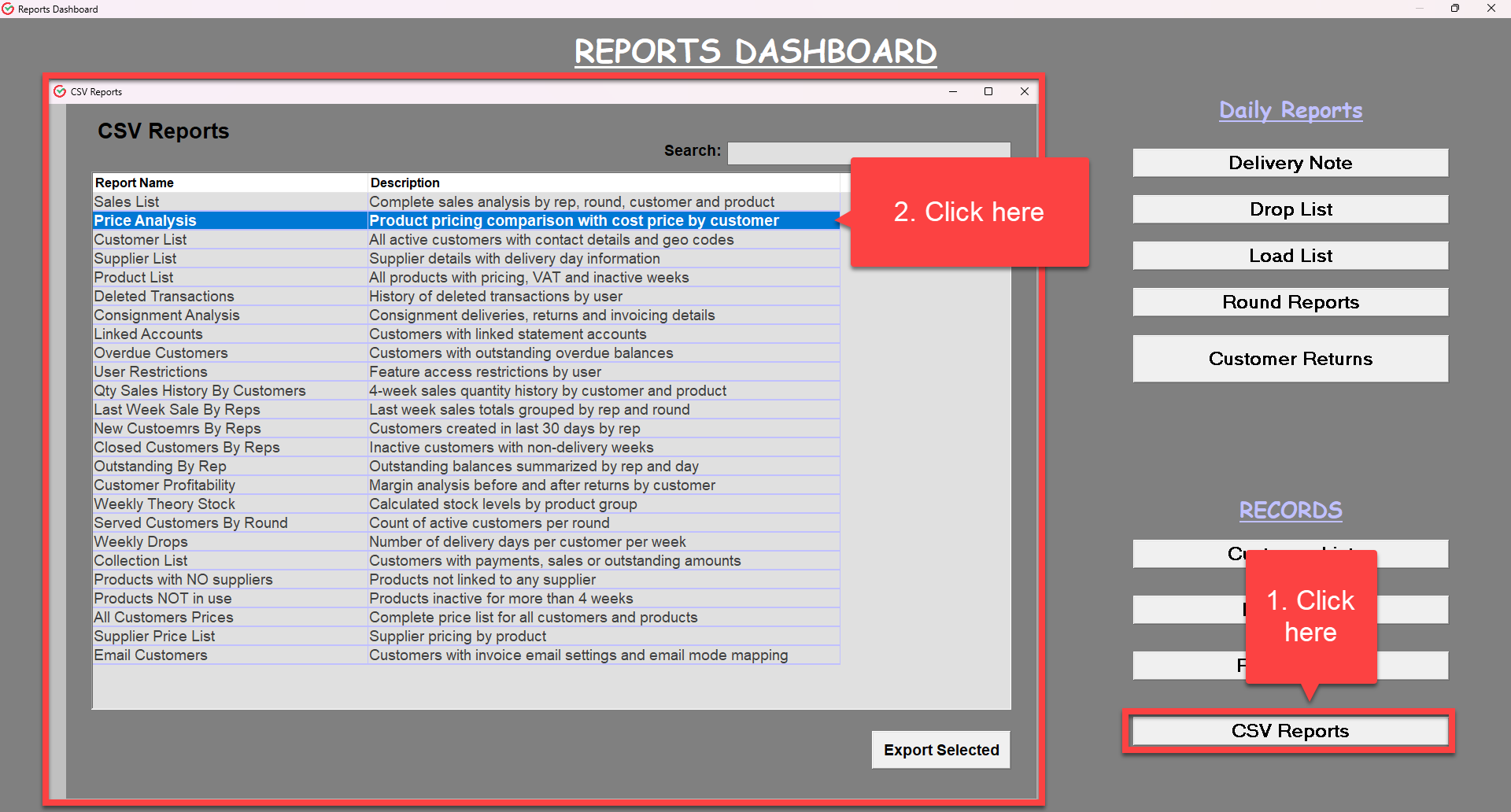
2. On the bottom right corner click CSV Reports then double click Price Analysis or at the bottom click Export Selected.
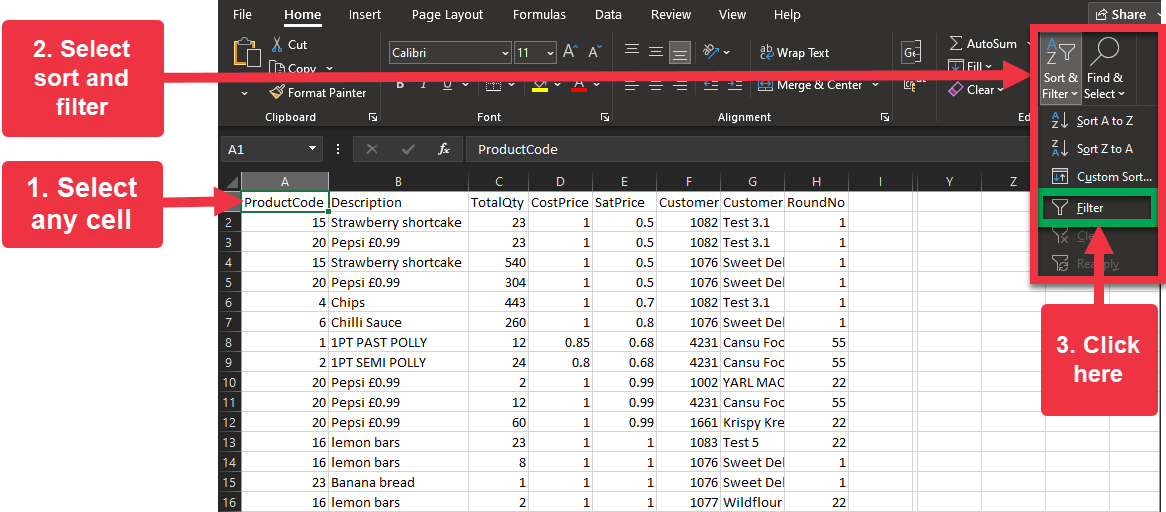
3. Select any cell in your sheet.
4. On the upper right-hand corner of the Home Menu, select Sort and Filter, then from the drop-down, click filter.
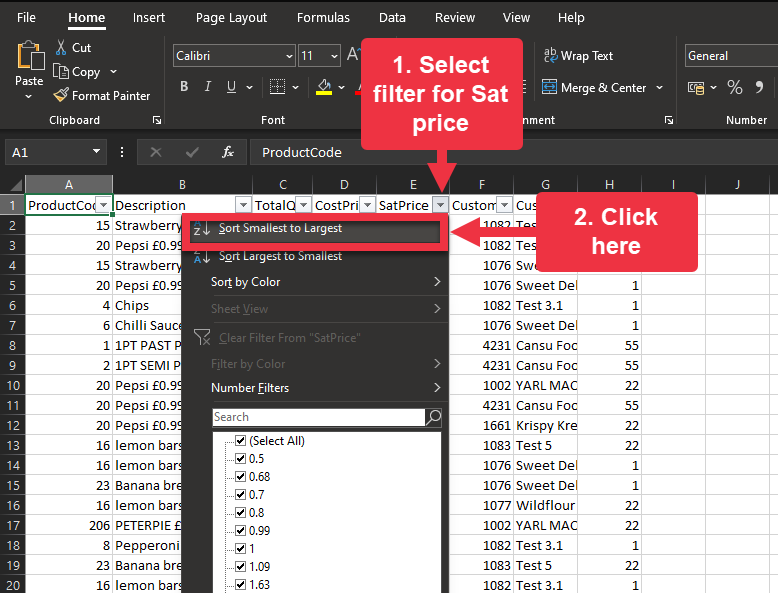
5. Select filter for SatPrice.
6. from the drop-down, click Sort Smallest to Largest.
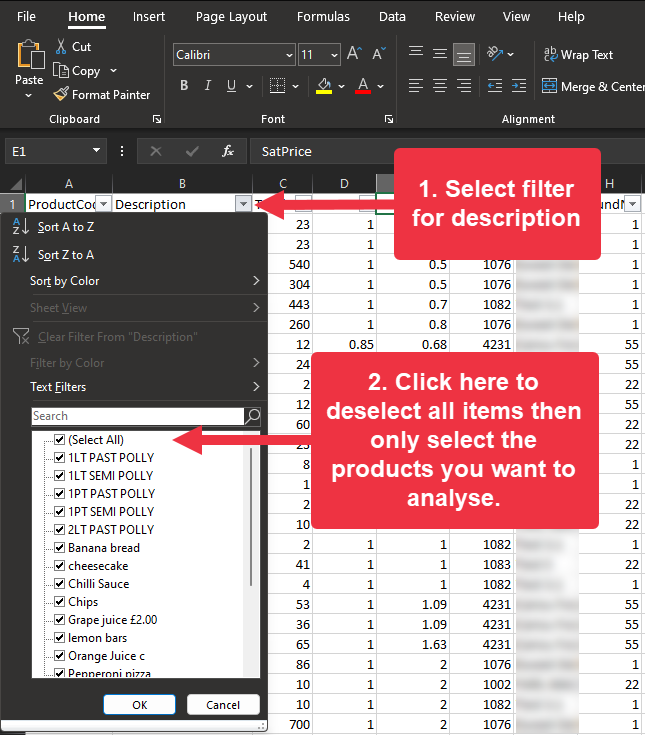
7. Select description filter.
8. Click "(select all)" to deselect all items, then select the products you want to analyse.
Was this article helpful?
That’s Great!
Thank you for your feedback
Sorry! We couldn't be helpful
Thank you for your feedback
Feedback sent
We appreciate your effort and will try to fix the article