From the Main Menu
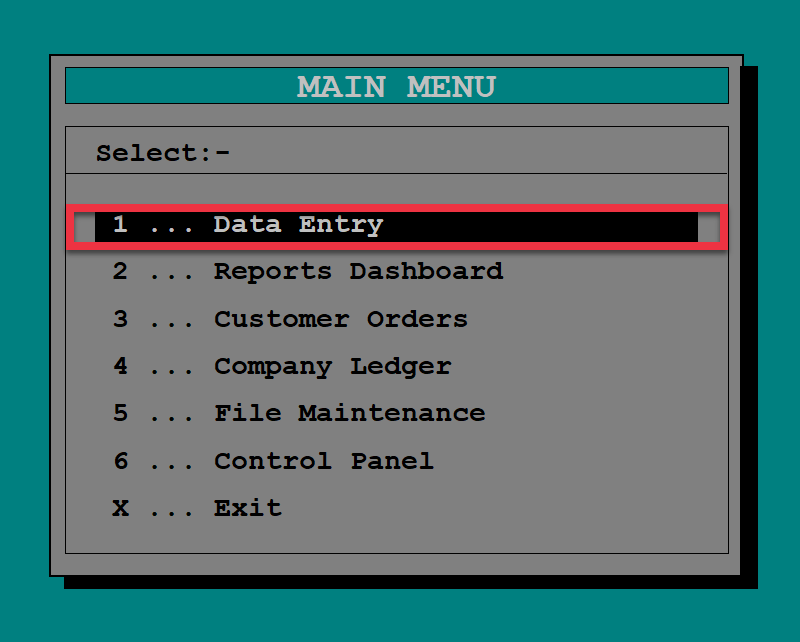
1. Select Data Entry.
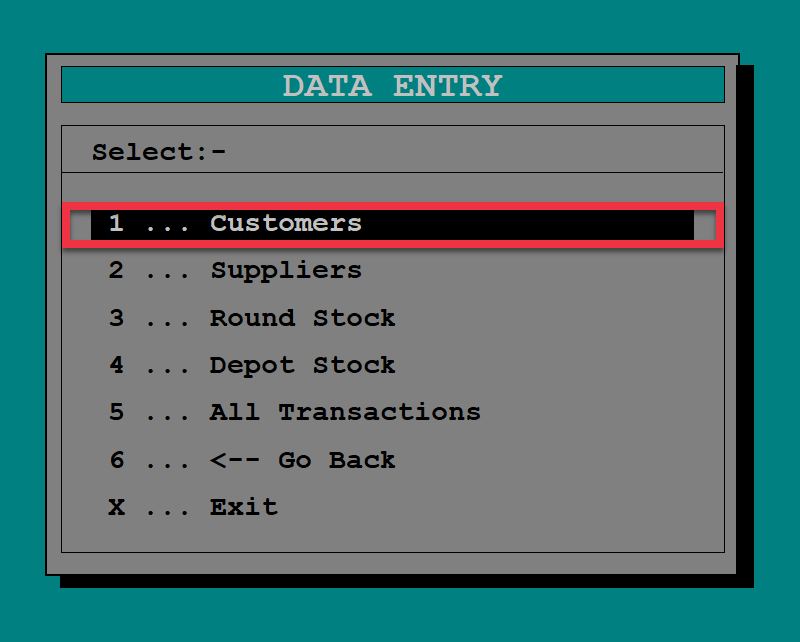
2. From Data Entry, select Customers.
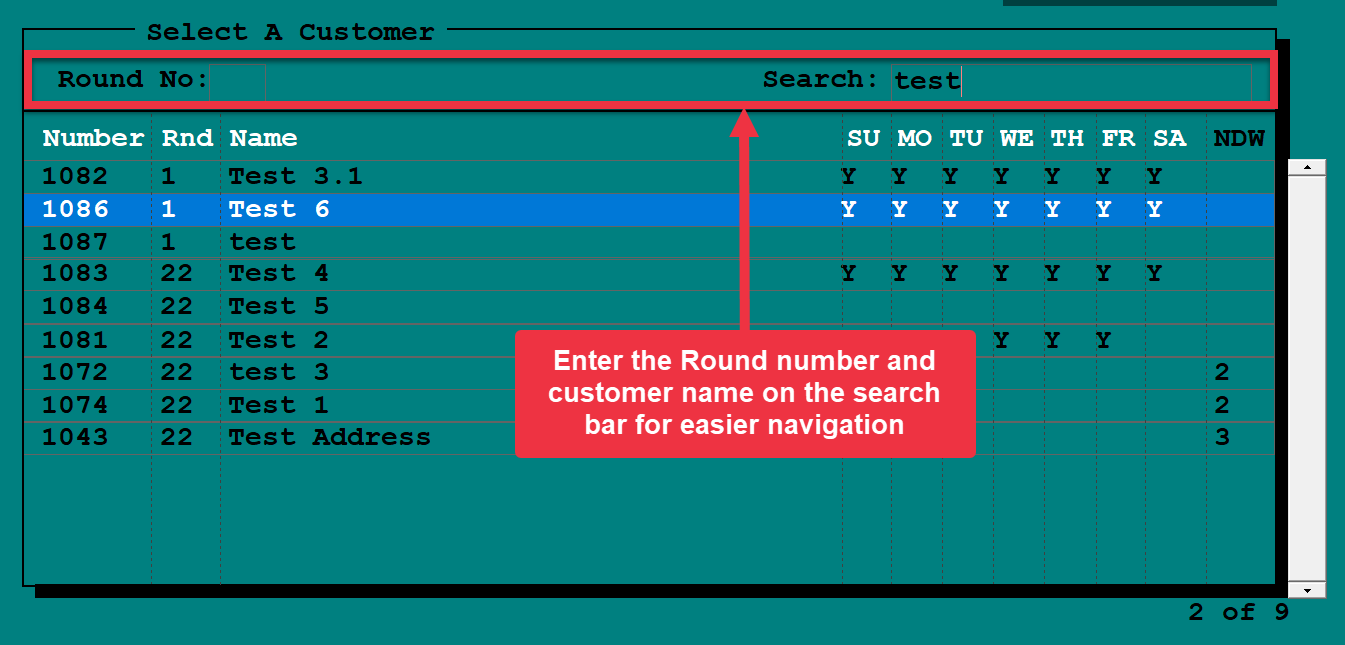
3. Enter the round number of the customer. You may also narrow down your customer list by, entering the round number and/or customer number on the search bar.
4. At the bottom right of customer dashboard, Click Add products or press A on your keyboard.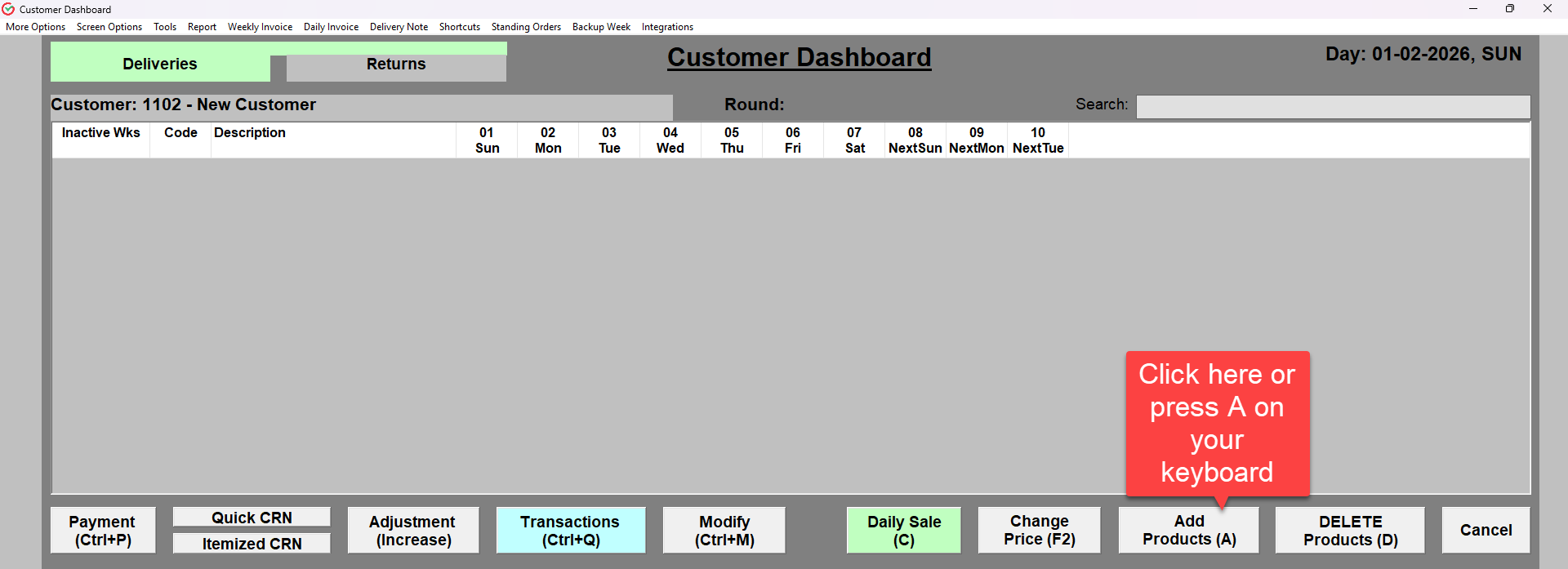
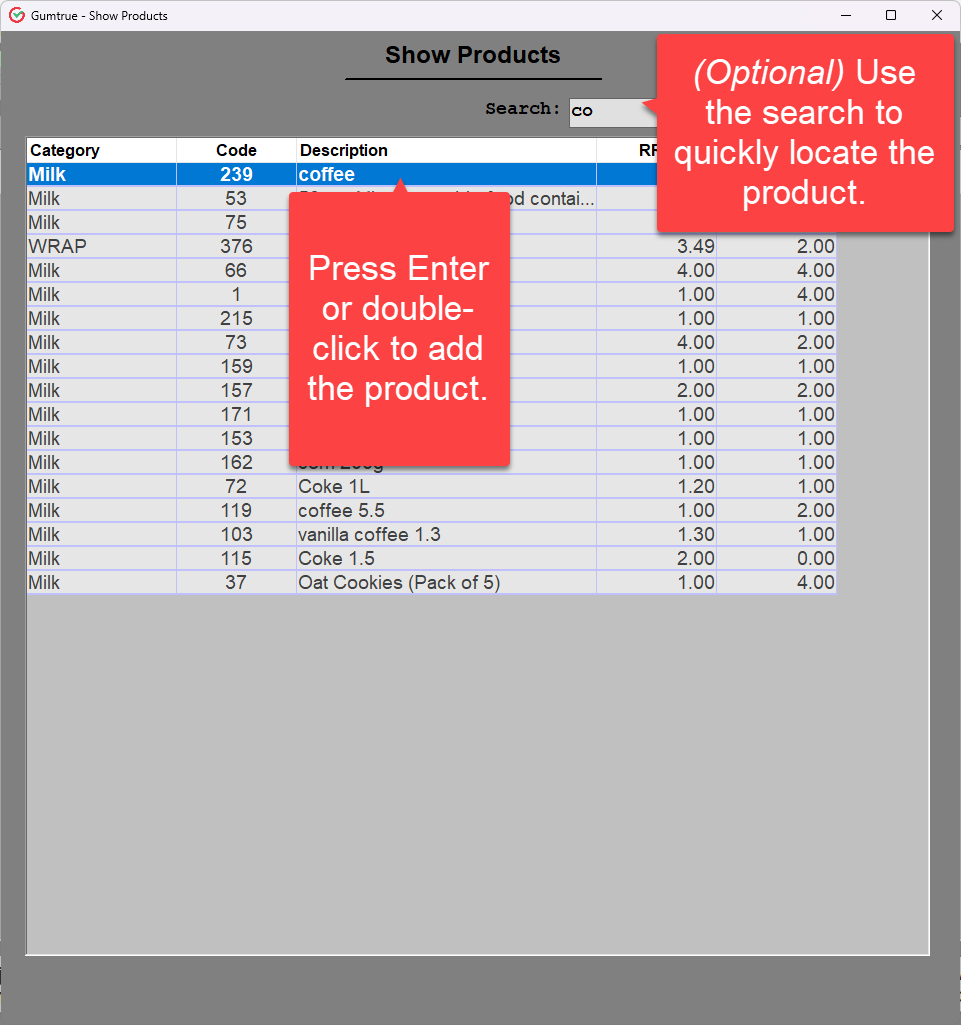
5. Search for the product, then add it by pressing Enter or double-clicking using your mouse.
Was this article helpful?
That’s Great!
Thank you for your feedback
Sorry! We couldn't be helpful
Thank you for your feedback
Feedback sent
We appreciate your effort and will try to fix the article